Wave picking
A wave is a group of orders picked together, in one walk through the warehouse. Instead of crossing the shelves
once per order, whoever picks takes everything a batch of orders needs in a single round, and the orders are separated
afterwards. It saves the most when many small orders share products.
The screen
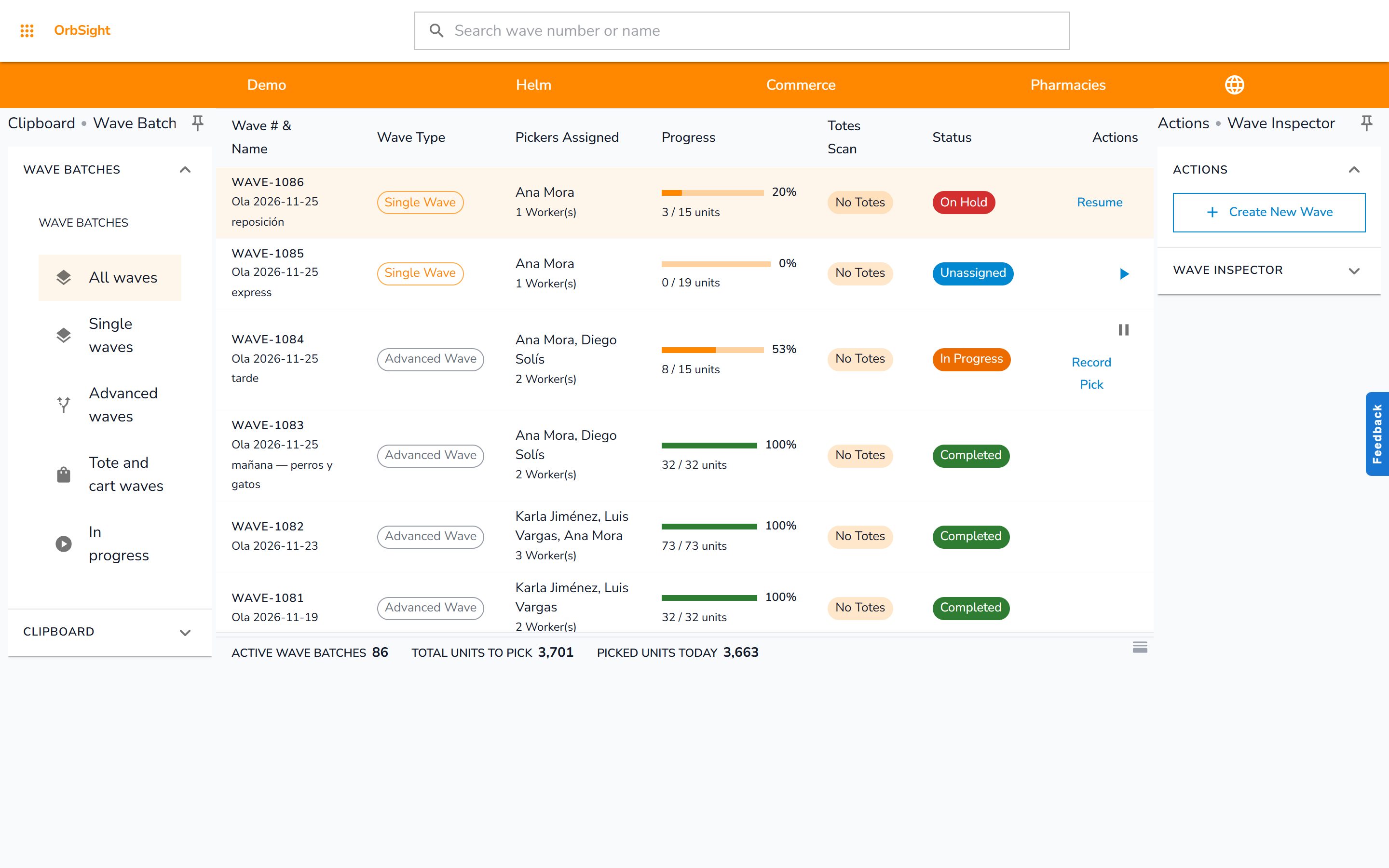
At the bottom, three totals: active waves, units to pick in them, and units picked today. On the left, the
waves by kind: all of them, simple waves, advanced waves, waves with totes and carts, and those in progress. The search
finds a wave by its number or name.
Each row is a wave: its number and name, its kind, who is assigned to pick it, how far along it is (units picked of the
units it holds), whether its containers are scanned, and its state — unassigned, in progress, on hold or completed.
Simple and advanced waves
- A simple wave is one list that anyone picks with a cart.
- An advanced wave says who picks it, how the work is split between them, and whether each container (a tote, a cart) is scanned as it fills.
Working a wave
Press Create new wave to group the orders waiting to be picked. Start an unassigned wave, record what has been
picked while it is in progress, put it on hold if the round has to stop, and resume it later. When every unit is
picked the wave is completed and its orders go on to packing.