Moving stock between shelves
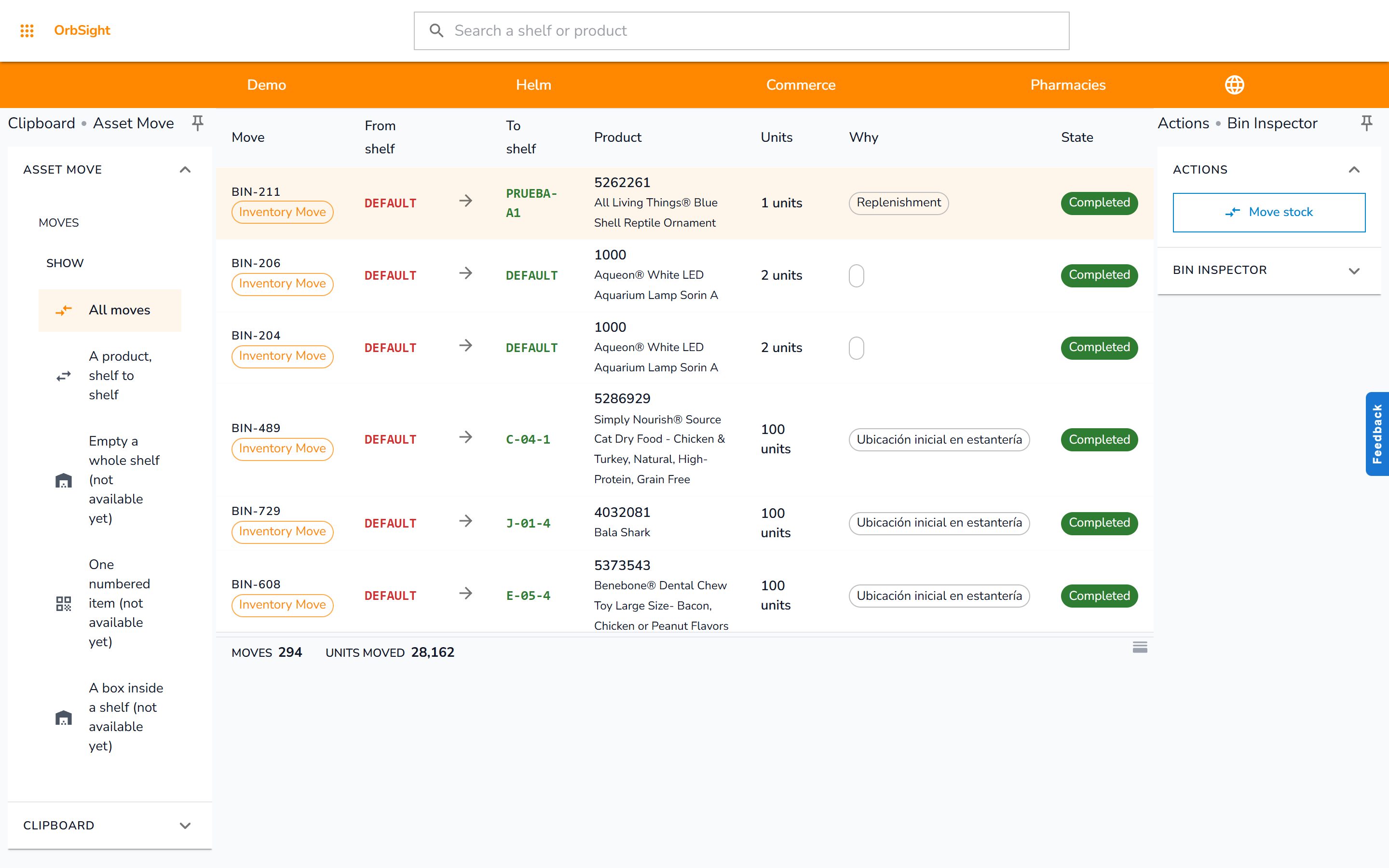
Moving stock is how you tell the app that a product changed shelf, so the stock of each shelf stays true and Pick &
Pack sends you to the right place. Record it when you refill a shelf, move things away from a damaged area, or put a
product somewhere better.
Move stock
Press Move stock, write the products code (SKU), the shelf it leaves, the shelf it goes to, how many units, and
why. Move it asks first, in numbers: "Move 2 units of 5262261 from shelf DEFAULT to shelf A-03?". When you answer,
both shelves change at once and the move is listed here with who made it and why
Both shelves must already keep the product: to put a product on a new shelf, add it there first in Fulfillment ›
Inventory (New stock).
Emptying a whole shelf, a box inside a shelf, and numbered items are not available yet; the app says so.
Mover existencias entre ubicaciones
Cómo mover unidades de un producto de una ubicación a otra con un traslado entre ubicaciones. En Inventario, cada fila es un producto en una ubicación, y el mismo producto puede estar en varias.