Receiving
Receiving is how what your vendors deliver becomes stock you can sell. You need it every time a delivery arrives:
until it is received, the products are not counted as yours, cannot be sold, and the purchase order stays open.
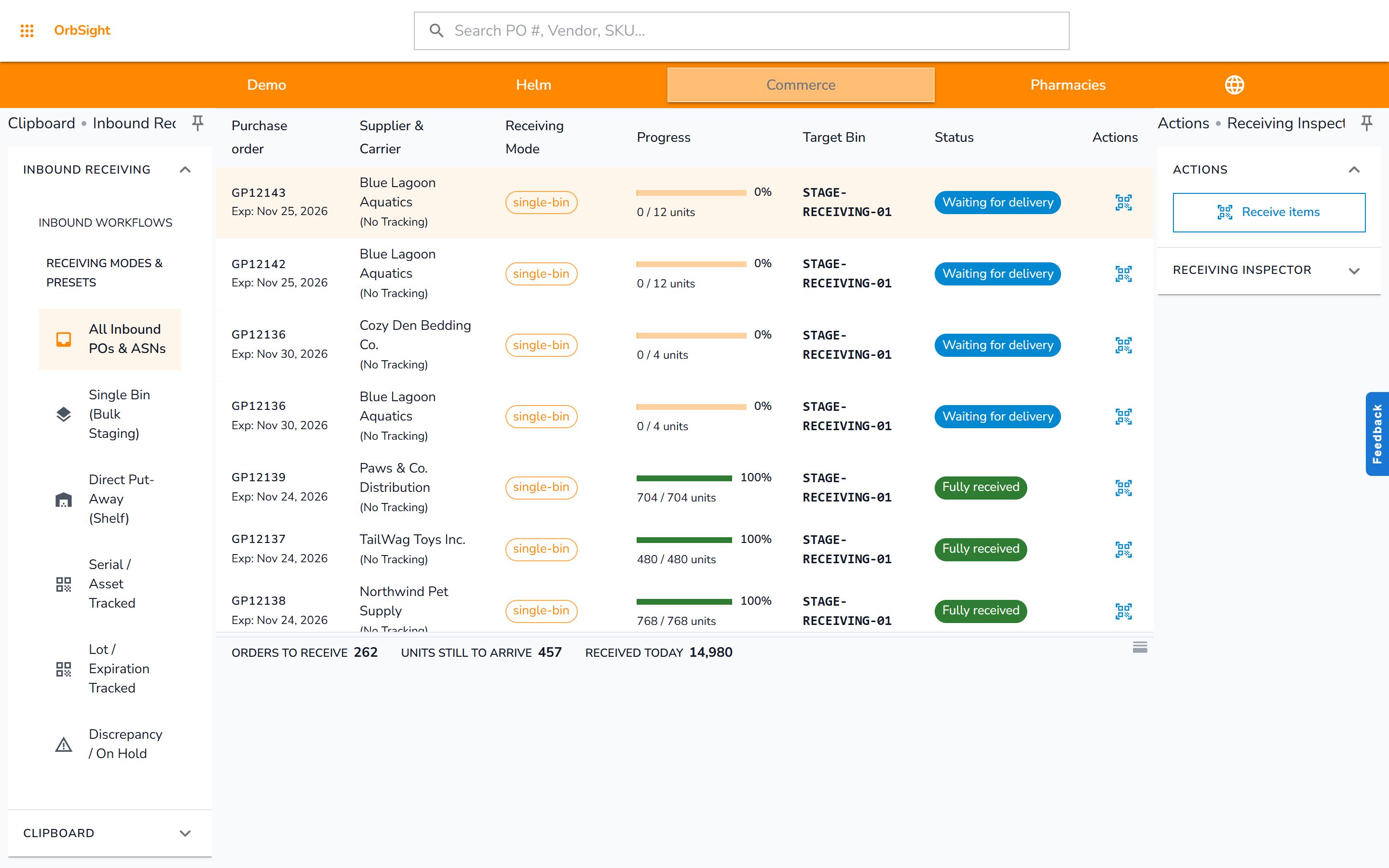
Before a delivery can be received
Receiving starts from a purchase order: create one in Fulfillment › Purchasing, send it to the vendor, and when the
vendor confirms it, it appears here, waiting. If nothing is listed, no confirmed order is waiting.
Receiving a delivery
- 1.Select the purchase order on the list. On the right you see what is expected: each product, how many, and how many have arrived so far.
- 2.Choose where the goods go:
- One receiving shelf: everything waits on one shelf, and you put it away later. Good when a delivery is big or you are short of time.
- Straight to its shelf: you put each product where it is kept as you receive it. Good for small deliveries.
- 3.Press Scan / Receive items. For each product: choose it (or scan its barcode), type how many came, and check the shelf. Then Confirm Receipt Scan.
A product that is tracked by serial or lot number asks for that number for each unit. You can receive part of an
order now and the rest when it arrives: the order shows how much is still to come.
Doing it for you
An assistant can prepare a receipt for you: give it the purchase order, the product and how many came (and the shelf if
you want). It opens the receiving window already filled in; you check it and confirm. It never confirms on its own.
Good to know
- What you receive is valued at the purchase orders cost, with its shipping and other costs spread over the units
- Receiving cannot be undone: check the quantities before confirming.