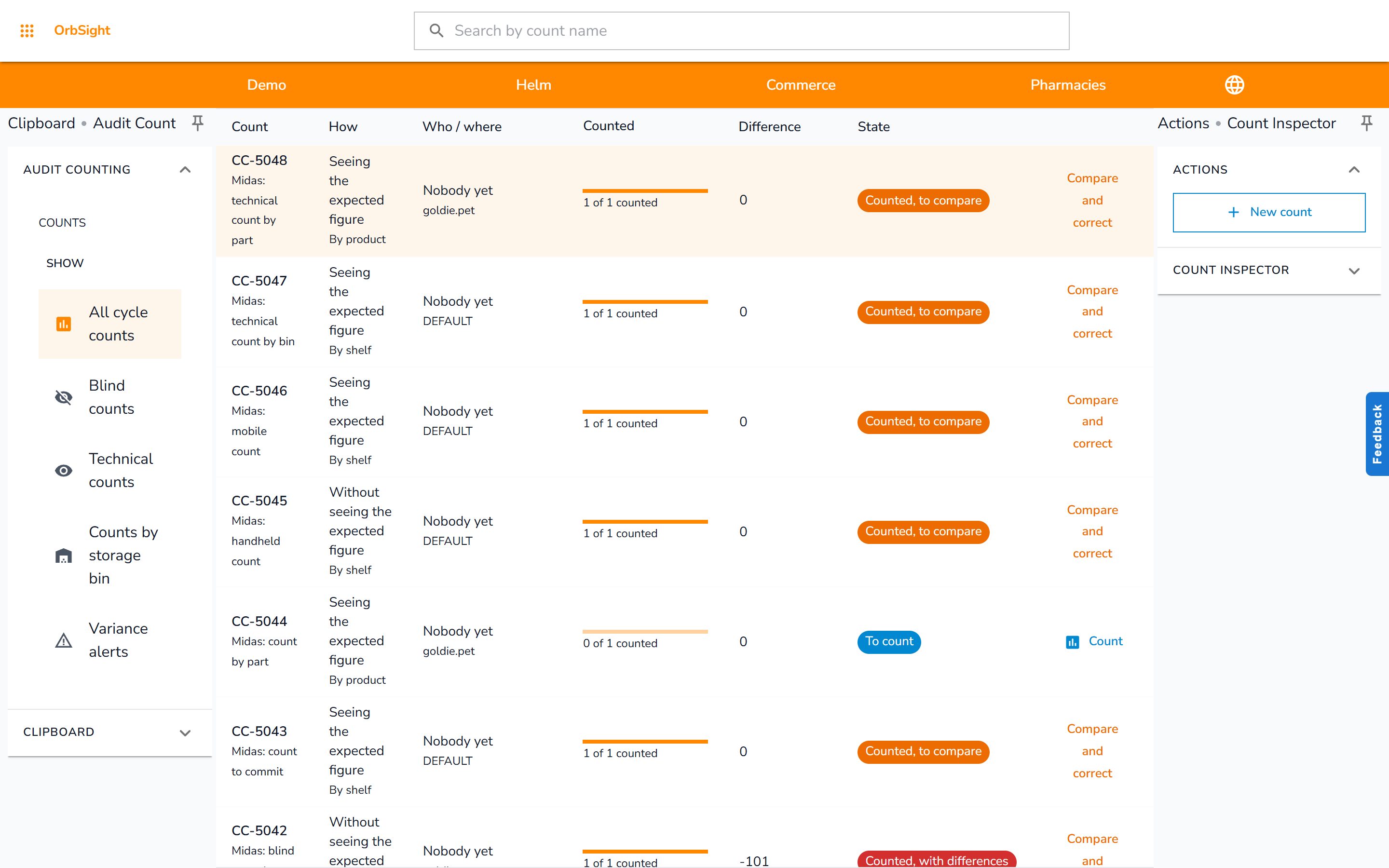
Counting
Counting is how you check that the stock the app shows is what is really on your shelves, and correct it where it
is not. Count a few products every week, or everything once in a while: a stock that is wrong sells what you do not have,
or hides what you do.
Start a count
Press New count, give it a name, and choose what to count: by Products (each product, wherever it is kept) or by
Shelves (everything on a shelf). While you count you do not see what the app says, so the count is honest.
Count
Choose the count and press Count: for each product, write how many you counted and save. When every product is
counted, press Finish counting.
Compare and correct
Compare and correct shows, for each product, what you counted, what the app says, and the difference. For each one
choose: Correct the stock (it is set to what you counted), Drop this line (the stock stays as it is), or Decide
later. Apply asks first, product by product: 5262261 from 97 to 95. Each correction is kept in the stocks
history, with who made it
What a correction does to your books
A unit you found is worth its cost: it enters your books as Inventory, against Inventory differences. A unit missing
leaves Inventory at what it cost when it came in, oldest first, as Inventory differences. Applys question says
the amount before anything is written. A product with no cost changes the stock and nothing in the books; the
question says so. If your books lack one of those accounts, the page says which before asking, and nothing changes